
A phone can display mobile signal while internet traffic fails. Signal bars mean a radio connection exists, not necessarily that the active data line, APN, entitlement and destination coverage are correctly configured. A careful diagnosis starts with reversible settings before deleting profiles.
Who is this for?
At the airport, the traveler’s eSIM shows signal, messaging apps fail and the airline app cannot load. Buying another plan immediately is tempting. A more useful first step is checking whether the eSIM is selected as the mobile-data source, is enabled and is valid for this country and date.
How to compare the available choices
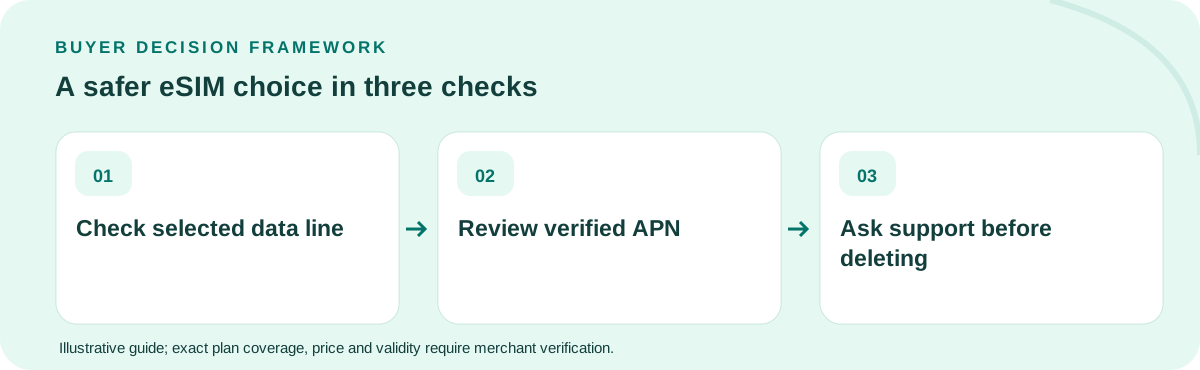
Use a short sequence: enable the intended profile, confirm data selection, review the supplier’s explicit roaming instruction, restart or toggle airplane mode where appropriate, and test a lightweight website. If the provider requires a manual APN, copy only the verified value from the supplier’s instructions rather than a random forum screenshot.
What to do before departure or purchase
If the phone uses dual SIM, do not inadvertently route data through the home line while troubleshooting. Verify that the carrier has not blocked roaming service or that the retail SKU has not expired. APN settings are only one possible fault and can differ between resellers and partner networks.
Worked example with explicit assumptions
In a hypothetical case, a buyer has a 5 GB balance with five valid days remaining. Because the wrong SIM was selected for data, the travel allowance remains untouched while the home carrier charges roaming. Switching the data source may fix the routing problem, but the buyer must still reconcile any actual home charges.
Common mistakes to avoid
The destructive mistake is deleting the travel profile in frustration. Some QR codes cannot be used again. Similarly, network resets can disturb both lines. Escalate with the order reference, exact phone model, country and error symptoms before attempting irreversible recovery.
What would change the answer?
If troubleshooting needs support, send a sanitized account of the symptoms: device model, country, current data-line setting, exact error and the last working time. Never email raw QR activation keys in an open ticket unless the provider offers a secure channel and explicitly requires them. A reproducible sequence helps support identify an entitlement or configuration fault without destructive trial and error.
Five-item decision worksheet
| Check | What to verify |
|---|---|
| Eligibility | Confirm the exact device, activation method and covered destination(s) against the retail product, not a country-average study. |
| Validity | Work backward from the situation described in this guide: At the airport, the traveler’s eSIM shows signal, messaging apps fail and the airline app cannot load. Check when the clock starts and the last active day. |
| Usage | Estimate the full-speed GB or communication capabilities this particular itinerary needs; include hotspots, essential apps and an emergency buffer. |
| Economics | Compare current final payable totals only among options that meet every requirement; treat any arithmetic example here as hypothetical. |
| Fallback | Before departure, consider this failure mode: The destructive mistake is deleting the travel profile in frustration. Keep the seller’s support instructions available offline. |
Which option should you buy?
Keep a one-page offline checklist of the reversible checks and your seller’s support channel. If the device cannot reach data after the verified steps, request help rather than claiming the plan is universally defective.
Should I delete and reinstall an eSIM when it has no internet?
Not as a first step. Check data-line selection, plan validity, provider instructions and network registration before deleting a possibly single-use eSIM profile.
Primary technical/regulatory reference: official guidance for this topic. This source provides background, not a verification of any live TripoSIM SKU. The scenarios, prices and quantities in this guide are illustrations, not tested carrier offers. Every product's eligibility, data, voice, coverage, activation, fair use and current final price must be checked with the seller before purchase.
Ownership: This website is commercially affiliated with TripoSIM. It does not claim independent testing, neutrality or live catalog pricing. See research methodology.